As we know, Unified Client Interface is introduced in Dynamic 365 Customer Engagement, where dynamics folks were busy to look its new features and how Unified Interface distinct from Web Client.
I also did some analysis of comparison between UCI and Web.
Here, Properties are listed below:
| S.No. | Field Properties | UCI | Web |
| 1. | Composite Name/Address field | No | Yes* |
| 2. | Turn-off Automatic resolution in field | No | Yes |
| 3. | Disable most recently used items for this field | Yes | No |
| 4. | Available on Phone | Yes | No |
| 5. | Display search box in Lookup dialog | No | Yes |
| 6. | Inline View Search Match highlight | Yes** | No |
| 7. | Lookup View Columns | Yes*** | Yes*** |
Note*: Composite Name Field

Composite Address Field:

Note**: Inline View Search Match highlight

Note***: UCI shows 2 columns until click on expand arrow where Web client shows 3 columns at its max.
| S.No. | Section Properties | UCI | Web Client |
| 1. | Section Columns | Yes | Yes |
| 2. | Field Label Width | No | Yes |
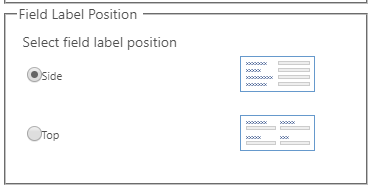
| 3. | Field Label Position | No | Yes* |
| 4. | Field Label Alignment | No | Yes |
| 5. | Available on Phone | Yes | No |
| 6. | Show the label of this section on the form | Yes | Yes |
Note*: Field Label Position
| S.No. | Sub Grid Properties | UCI | Web Client |
| 1. | Display Search Box | Yes | Yes |
| 2. | Panel Header Color | No | Yes |
| 3. | Show Chart Only | No | Yes |
| 4. | Display Index | Yes | Yes |
| 5. | Automatically Expand to use available space | Yes* | Yes* |
Note*: Sub grid get expend till its height then start paging with Index.
| S.No. | Tab Properties | UCI | Web Client |
| 1. | Show the label of this tab on the form | No | Yes |
| 2. | Expand this tab by default | No | Yes |
| 3. | Visible by default | Yes | Yes |
| 4. | Tab Layout | Yes | Yes |
| 5. | Tab Column Width | Yes | Yes |
Hope it helps!
 Deriving Dynamics 365