Hello Everyone!
While I was working on Ribbon Workbench customization, one of my colleague addressed me that custom button icon is showing as jigsaw image in UCI interface whereas button’s icon is showing as desired in classic Interface. My colleague was questioning if it is a Microsoft issue or anything else which is missed to be done?
Workaround:
I went to Ribbon Workbench Customization, There I noticed one more new input i.e. ModernImage. Modern Image supports Vector format (SVG) and responsible for UCI(Unified Client Interface) visibility.
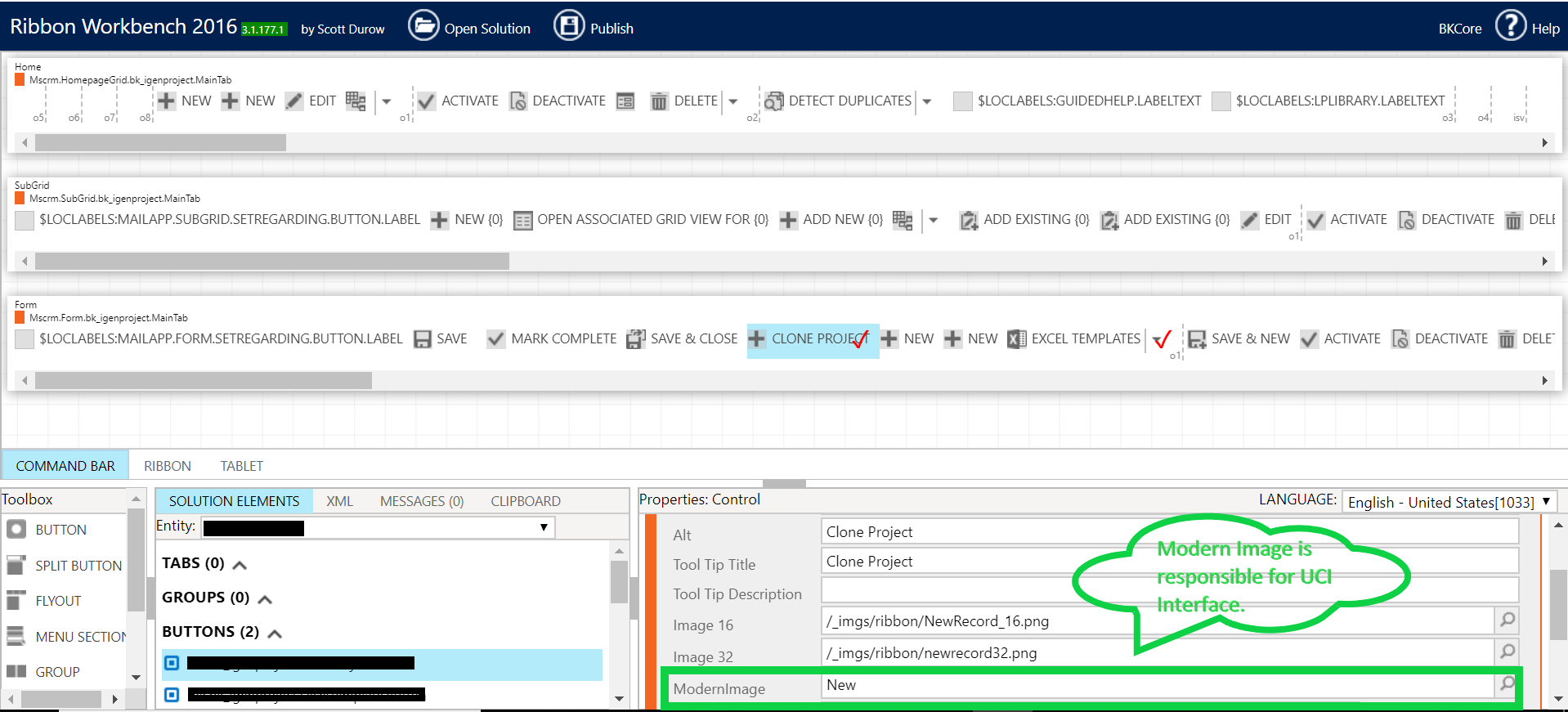
Therefore,16X16 image, 32X32 image is responsible for Classic View. Even you can test it at your own. Remove these 16 or 32 png from Ribbon Work Bench then publish it, you will not see them in Classic Interface😊

Fix:
All you need to do it. Create a Vector format (SVG) web resource. Go to Ribbon Workbench, Select your Solution, Browser your SVG icon image under Modern Image and then good to go to publish it.
Hope it helps for quick fix!
 Deriving Dynamics 365